
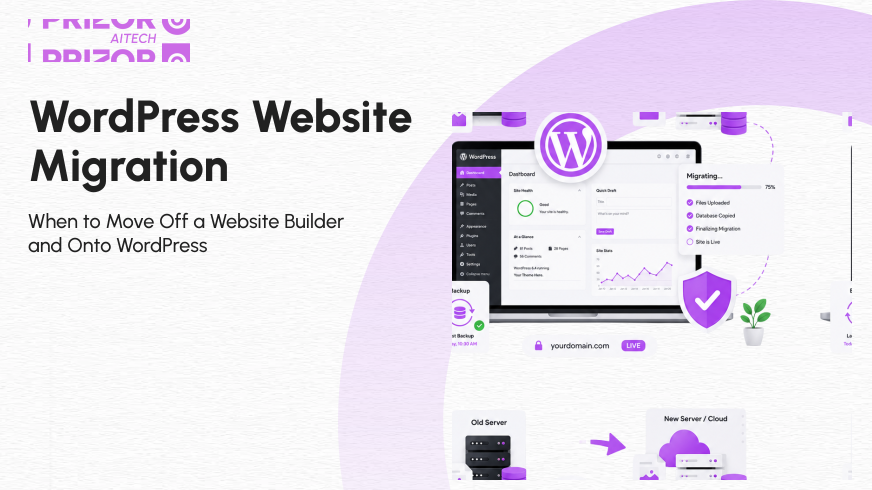
At some point, almost every growing business has the same quiet realization: the website that got you started isn’t the website that’s going to get you where you’re going next.
If you built your first site on Wix, Squarespace, GoDaddy Website Builder, or a similar drag-and-drop platform, that was almost certainly the right call at the time. These tools exist for a reason: they get a business online fast, without needing a developer, a budget, or a six-week timeline. But website builders are optimized for one thing: speed to launch. They were never designed to be the permanent home for a business that’s actually scaling.
This guide walks through exactly when a WordPress website migration makes sense, when it doesn’t, and what the process actually involves, written for business owners and marketing teams across the US, Australia, and Europe deciding whether it’s time to make the move.
What a Website Builder Actually Is
A website builder Wix, Squarespace, Webflow’s simpler tiers, GoDaddy’s builder is a closed, hosted platform. You don’t own the underlying code, you can’t move your design to another host, and your functionality is capped at whatever the platform decides to offer. It’s a rented storefront, not owned property.
WordPress is different in kind, not just in degree. It’s an open-source content management system that you self-host, meaning you own the codebase, the database, and every piece of content on the site outright. That distinction between a rented platform versus owned infrastructure is the single biggest factor in almost every migration decision covered below.
Signs You’ve Outgrown Your Website Builder
1) You’re Hitting a Feature Wall
This is usually the first sign. You want a specific integration, a custom checkout flow, a membership area, or a particular type of content structure, and the builder simply doesn’t support it, or only supports a stripped-down version through a limited app marketplace. On WordPress, this is rarely a hard stop; it’s a plugin, a custom field, or a developer building exactly what you need.
2) Your Content Strategy Has Outgrown Basic Blogging
If content marketing is becoming central to how you generate leads, multiple content types, structured taxonomies, custom post types for case studies or resources, and multi-author workflows, most website builders start to strain. WordPress was built as a publishing platform first, and it still shows in how much more structure it can handle at scale.
3) Site Speed and Core Web Vitals Are Becoming a Problem
Website builders control the underlying code, hosting environment, and how many scripts load on every page, and you have limited ability to fix any of it yourself. If your Lighthouse scores are stuck in the 40s and 50s no matter what you try, that’s often a platform ceiling, not something within your control to fix.
4) You Need Real Website Ownership and Portability
This is less about features and more about risk. On a closed platform, your entire business’s digital presence lives inside someone else’s system, under someone else’s terms of service, with no guarantee that pricing, policies, or platform priorities won’t change under you.
Also Read: WordPress Core Web Vitals: 12 Fixes That Actually Move The Needle
With self-hosted WordPress, you control the hosting, the codebase, and the ability to move providers at will meaningful for any business that treats its website as a real asset rather than a placeholder.
5) Your Design Has Hit a Ceiling
Builder templates are, by definition, templates shared design systems used by thousands of other sites, with real limits on custom layout, animation, and brand expression. If your brand has matured past what a template can express, that’s a legitimate reason to move.
6) You’re Scaling a Team Around Your Website
Multiple editors, developers, and marketers working on one site at once with permissions, staging environments, and version control is something WordPress handles natively, and most website builders handle poorly or not at all.
When It’s Not Yet Time for a WordPress Migration
It’s worth being honest about the other side of this. If your current site converts well, matches your brand, and none of the six signs above genuinely apply to you, migrating for its own sake is a real cost with no real return: new hosting, developer time, and a rebuild, all to end up somewhere that doesn’t actually change your outcomes. A WordPress website migration should be a growth decision, not a reflexive one.
What a Website Builder to WordPress Migration Actually Involves
The honest answer: most website builders don’t make this easy, and that’s by design. Closed platforms like GoDaddy Website Builder generally have no built-in export tool, meaning content, images, and structure have to be manually recreated on the new WordPress install rather than automatically transferred. The visual design and styling in particular have to be rebuilt from scratch, not just exported. A realistic migration typically includes:
Content Audit and Export:
Pulling every page, post, image, and piece of copy off the old platform before anything else happens.
New WordPress Environment Setup:
Hosting, theme foundation, and staging environment configured before a single page goes live.
Design and Template Rebuild:
Since layouts and styling generally don’t transfer directly from a closed builder.
301 Redirect Mapping:
Every old URL mapped to its new destination, which is the single most common point of failure in a rushed migration and the fastest way to lose search rankings overnight.
SEO and Metadata Migration:
Titles, meta descriptions, alt text, and structured data carried over deliberately, not assumed
QA and no-downtime cutover testing on staging, then switching DNS with minimal or zero downtime.
Done properly, a migration protects the SEO equity you’ve already built rather than resetting it. Done carelessly, especially the redirect step, it’s the fastest way to tank six months of rankings in a single afternoon.
WordPress vs. Other Content Management System Options
WordPress isn’t the only path off a website builder; platforms like HubSpot CMS are a common alternative, particularly for marketing-led teams that want a CMS tightly integrated with CRM, forms, and campaign reporting out of the box.
The trade-off is flexibility versus convenience: HubSpot generally requires less technical oversight but comes with more built-in constraints, while WordPress offers close to unlimited customization at the cost of needing someone to own hosting, plugin governance, and updates.
For most businesses whose primary goal is content control, extensibility, and long-term portability rather than an all-in-one marketing suite, WordPress remains the more open path.
Making the Decision: Is It Time to Migrate to WordPress?
If you’re weighing a WordPress website migration, the questions that actually matter are simple: Is your current platform capping your growth, your design, or your team’s ability to work? Is content ownership and portability something your business needs to take seriously at this stage? And can the migration be done properly redirects mapped, SEO preserved, no rushed shortcuts- rather than as a weekend project?
If the answer to the first two is yes, the move is usually worth it. If the answer to the third is no, that’s a reason to bring in help, not a reason to skip the migration altogether.
Weighing a move off your website builder?
Prizor AITech handles website builder-to-WordPress migrations end-to-end, with content, redirects, and SEO equity preserved for agencies and businesses across the US, Australia, and Europe. Talk to us about your migration before you touch a single page.
FAQs: WordPress Website Migration
Will I lose my Google rankings when I migrate from a website builder to WordPress?
Not if the migration is done properly. Search engines don’t penalize a platform change on its own; what causes ranking loss is broken or missing 301 redirects, changed URL structures, and lost metadata. A short-term traffic fluctuation of roughly 10–15% for a few weeks after launch is common even in a clean migration, and typically recovers once search engines re-crawl and re-index the new site.
How long does a website builder to WordPress migration actually take?
It depends heavily on site size and complexity. A small content-only site with under 20 pages can often be migrated in a few days to a week. A site with an online store, custom galleries, or significant SEO history to protect usually takes two to four weeks, since design rebuilding and redirect mapping, not the content export itself, are what actually take time.
Can I keep my existing domain name when I switch to WordPress?
Yes. Your domain is separate from your website builder account. If the builder registered it for you, you can unlock it and transfer it to your new host, or simply update your DNS settings to point the existing domain at your new WordPress site. Either way, you don’t need a new domain to migrate.
How much does migrating to WordPress actually cost?
WordPress itself is free and open-source, but running it involves hosting (typically $5–$30/month), plus any premium themes or plugins. If you hire a developer or agency to handle the migration and rebuild, costs commonly range from a few hundred dollars for a simple site to several thousand for a larger site or one with an online store, depending on complexity.
Will my current design transfer automatically, or does it need to be rebuilt?
It needs to be rebuilt. Website builders don’t export visual design or layout only content like text, images, and basic page structure typically comes across via export tools. Custom CSS, galleries, forms, and product pages usually aren’t included in a standard export and have to be manually recreated on the new WordPress site.
Can I migrate an online store from Wix or Squarespace to WordPress?
Yes, but it’s the most labor-intensive part of any migration. Products, variants, and order history generally have to be manually rebuilt in WooCommerce or imported via CSV, rather than transferred automatically. This is typically the single biggest reason an eCommerce migration takes weeks instead of days.
Do I need to hire a developer, or can I migrate the site myself?
It depends on your comfort level and the site’s complexity. A small, simple site is realistically doable by a non-technical owner using WordPress’s built-in import tools and some patience. Anything involving an online store, custom functionality, or meaningful search traffic to protect is where hiring a developer or migration specialist substantially lowers the risk of losing content or rankings.
Is a temporary traffic drop after migration always a sign something went wrong?
Not necessarily. A modest, short-term dip is normal while search engines re-crawl and re-index the new WordPress site. What’s not normal is a drop that doesn’t recover within a few weeks; that usually points to a specific, fixable issue: missing redirects, a changed URL structure, or metadata that didn’t carry over, rather than a sign that migrating was the wrong call.