
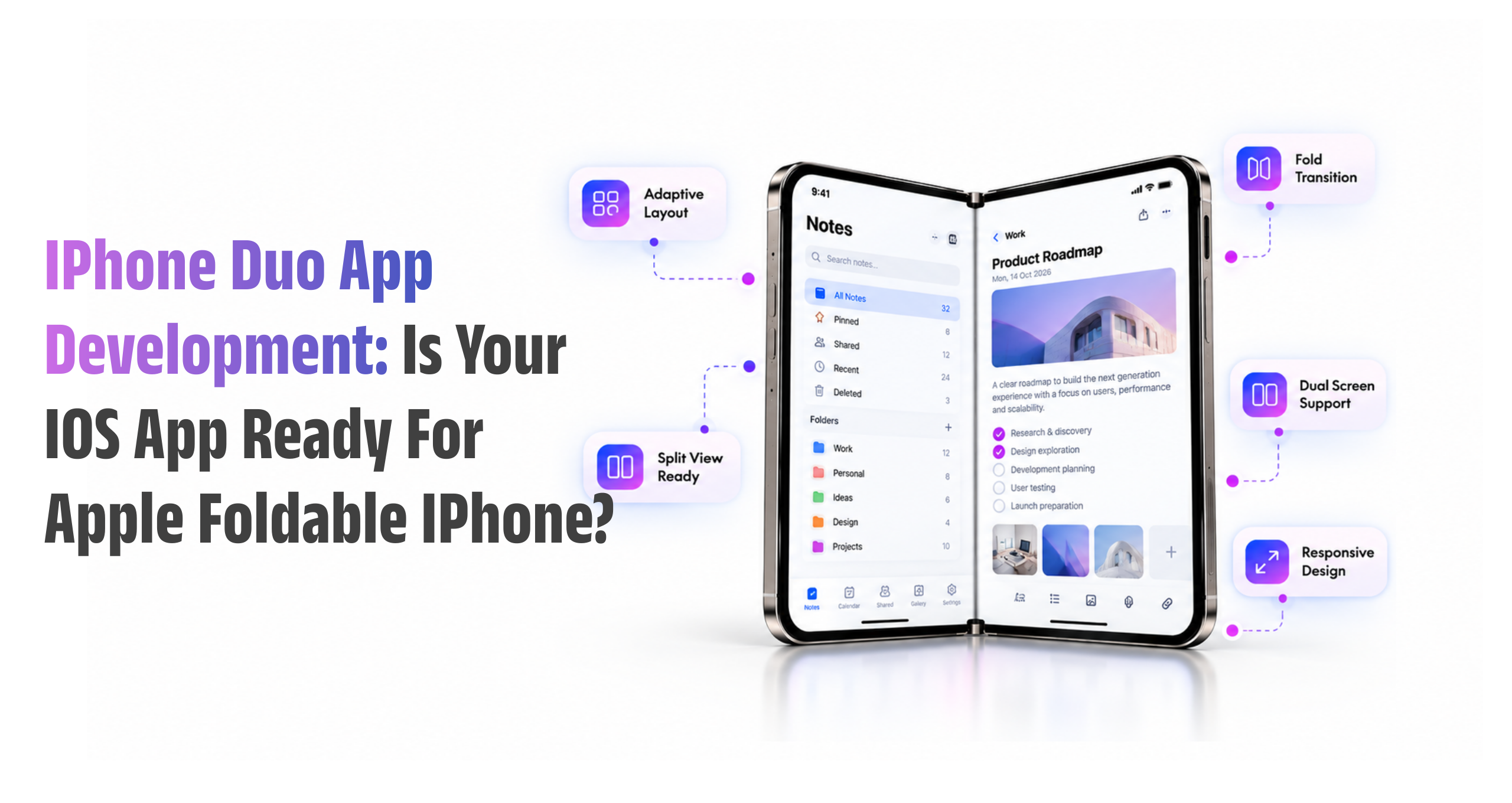
Apple’s iPhone Duo changes one of the longest-standing assumptions in iOS app development: that an iPhone app primarily needs to work within a conventional single-screen form factor.
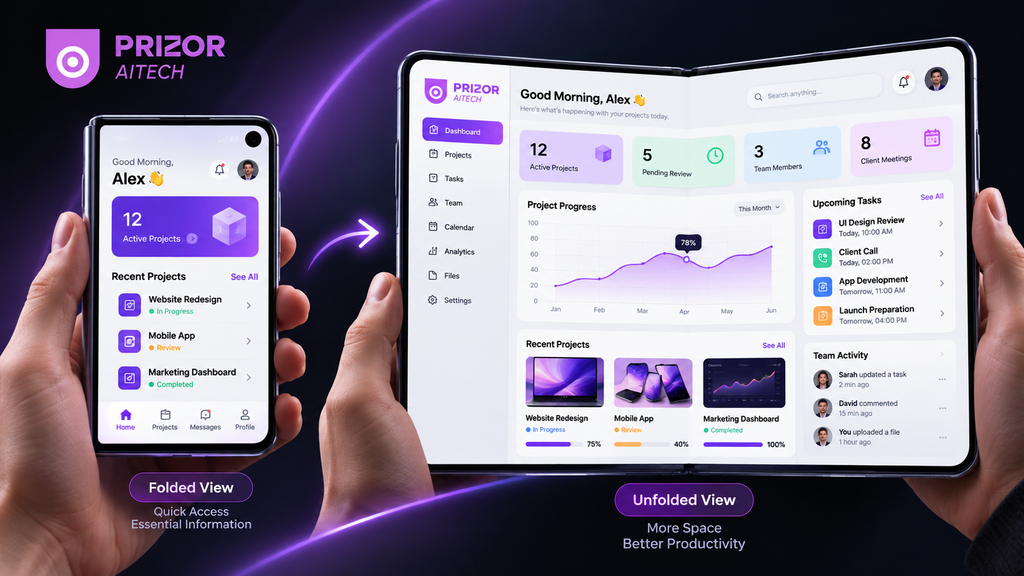
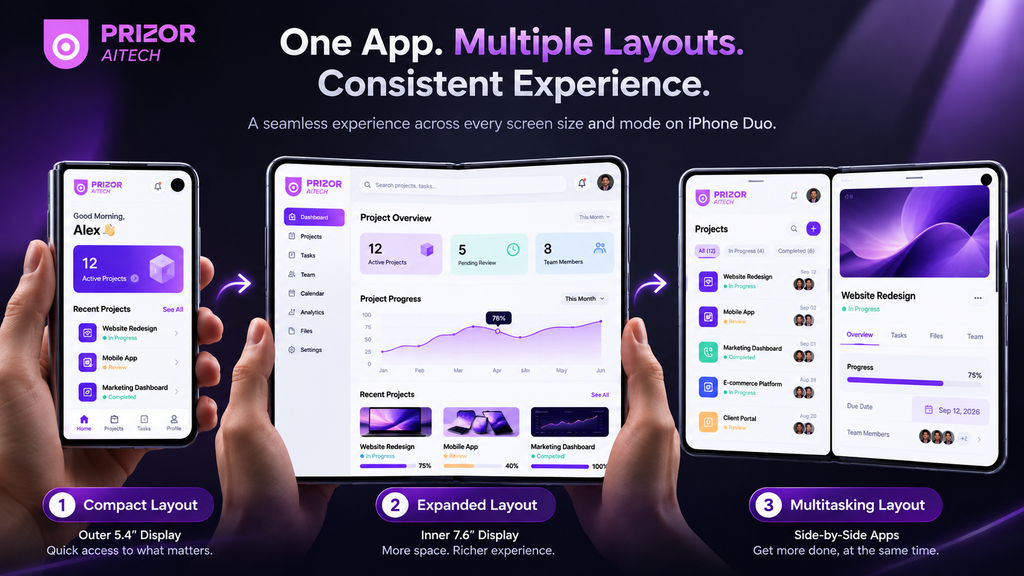
With a 5.4-inch outer display and a 7.6-inch foldable inner display, iPhone Duo gives users significantly more flexibility in how they interact with apps. An app may be opened on the compact outer screen, continue on the larger inner display, operate alongside another app, or transition between different device poses during the same session.
For businesses with an existing iOS application, this creates an important question:
Is your iOS app simply able to run on iPhone Duo, or is it actually optimized for it?
Those are two very different things.
An existing application may launch successfully without being designed for flexible screen dimensions. Navigation can become awkward, interfaces can stretch unnecessarily, content may leave excessive empty space, controls can move into uncomfortable positions, and important information may not make effective use of the larger display.
That makes iPhone Duo app development and optimization less about rebuilding every application and more about ensuring the existing experience can adapt intelligently to changing screen space.
For businesses in the USA, Australia, Europe, and other markets preparing their mobile products for the next generation of Apple devices, now is the time to assess how adaptable their iOS architecture really is.
What Makes iPhone Duo Different for iOS Apps?
iPhone Duo is Apple’s first foldable iPhone and introduces two distinct displays within one device.
The outer 5.4-inch display is designed for familiar, compact iPhone interactions, while opening the device provides a 7.6-inch inner display with significantly more usable space.
That larger canvas can support richer content presentation and multitasking, but it also means developers can no longer assume that an application will remain within one predictable width throughout a session.
A user could:
- Start completing a form on the outer display.
- Open the device while remaining on the same screen.
- Continue working on the larger inner display.
- Use the application alongside another app.
- Change the device position or available application space.
The application needs to respond without making the experience feel interrupted.
For businesses investing in native iOS app development, adaptive interfaces therefore need to become part of the application architecture rather than an adjustment made after development.
Why Existing iOS Apps May Have Problems on iPhone Duo?
Many existing iOS applications were designed around traditional, relatively predictable iPhone screen dimensions. While these apps may still run on iPhone Duo, layouts and interactions built around fixed screen assumptions can create usability problems when moving between compact and expanded displays.
Here are some of the most common issues businesses should look for:
| Common Issue | What Can Happen on iPhone Duo? |
| Hardcoded Layout Dimensions | Fixed widths, heights, and margins may cause interfaces to appear stretched, misaligned, or poorly structured when the available screen space changes. |
| Poor Use of Expanded Display | An app may simply stretch existing content across the larger screen instead of using the additional space for useful panels, details, or improved workflows |
| Fixed-Width Navigation | Navigation designed for a traditional iPhone may not adapt effectively to wider layouts where sidebars, secondary panels, or multi-column navigation could work better. |
| Unsafe UI Placement | Buttons, forms, menus, or other important elements positioned using fixed coordinates may appear in unsuitable areas instead of respecting system safe areas. |
| Loss of User Context | Switching between compact and expanded layouts may refresh the interface, reset the user’s position, or cause unsaved form data and selections to disappear. |
Adaptive Layouts Are the Foundation of iPhone Duo App Development
Apple’s current interface guidance emphasizes adapting applications according to the space actually available rather than designing around specific device models.
For iOS applications, developers can use technologies such as SwiftUI and Auto Layout to create flexible interfaces.
Size classes also help applications understand whether the available horizontal and vertical space is compact or regular.
That distinction is important.
Instead of writing logic such as:
“If this is iPhone Duo, display layout B.”
a more scalable approach is:
“If this amount of horizontal space is available, use the interface structure best suited to it.”
This makes the application more resilient not only for iPhone Duo but also across different iPhone sizes and other Apple environments.
An adaptable application can adjust:
- Navigation patterns
- Content columns
- Cards and grids
- Image dimensions
- Forms
- Toolbars
- Modal presentations
- Spacing
- Typography
- Secondary content
without requiring separate applications for each screen configuration.
Size Classes Matter More Than Device Detection
One important principle for modern iOS app development is to avoid designing interfaces purely around a specific device name or orientation.
Apple recommends considering size classes because they describe the space currently available to the interface.
This is especially useful with iPhone Duo because the application environment can change.
Instead of asking whether the phone is portrait, landscape, folded, or unfolded, developers can design around the actual space available to the application.
This approach makes layouts more flexible and reduces unnecessary device-specific logic.
It can also make future maintenance easier. When new screen configurations appear, an application built around flexible layout principles is less dependent on another round of device-specific patches.
How to Prepare an Existing iOS App for iPhone Duo?
Businesses do not necessarily need to rebuild their entire mobile application.
The appropriate scope depends on how the current app was engineered.
A structured iPhone Duo compatibility audit can identify what actually needs attention.
Step 1: Audit Existing Screens
Start with the screens that matter most to users.
Check:
- Authentication and onboarding
- Home/dashboard
- Navigation
- Search
- Forms
- Product or service pages
- Checkout or payment flows
- Media screens
- Account management
- Tables and data-heavy screens
- Modals and overlays
The objective is to identify screens that rely on rigid dimensions or behave poorly when their available space changes.
Step 2: Review Auto Layout and SwiftUI Behavior
For UIKit applications, review Auto Layout constraints and identify unnecessary assumptions about screen dimensions.
For SwiftUI applications, inspect how views respond to different available sizes and whether larger spaces can be used more effectively.
The goal should be a flexible UI architecture rather than maintaining numerous device-specific layouts.
Step 3: Test Folded and Unfolded Experiences
Testing only the application launch screen is not enough.
Core workflows should be tested across multiple configurations.
Ask:
What happens if the user changes the available display space halfway through a task?
Navigation state, form data, selected items, scroll position, and other relevant context should remain predictable.
Step 4: Test Multitasking
The larger inner display creates stronger opportunities for multitasking.
That means developers need to consider what happens when the app receives less than the full display width.
A layout that looks excellent at maximum width might still fail when sharing screen space.
Step 5: Review Safe Areas
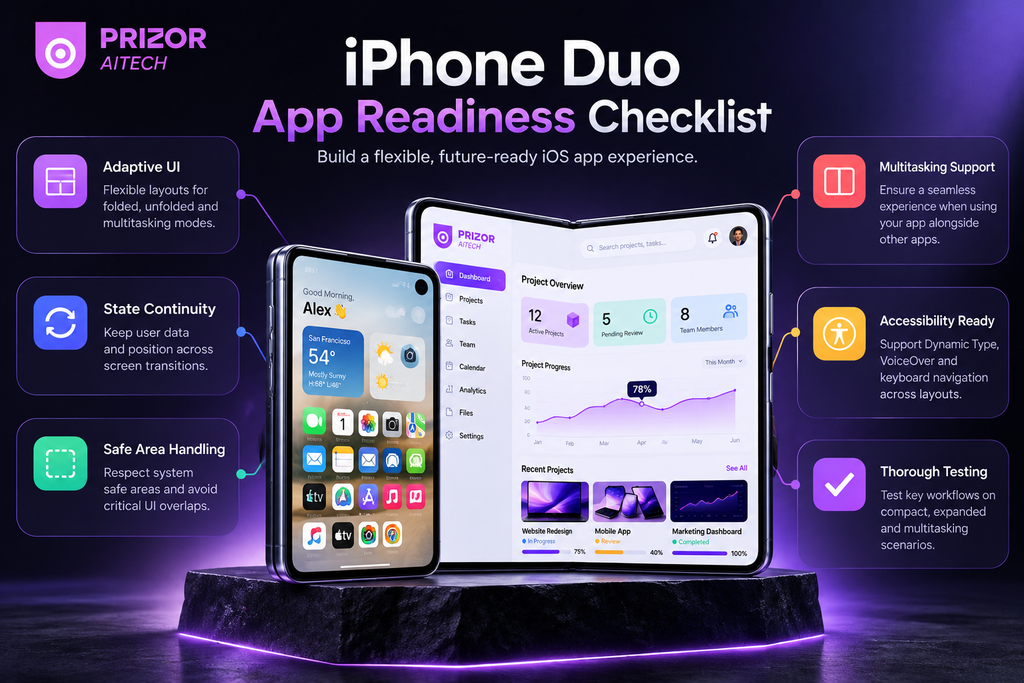
Navigation bars, buttons, menus, floating controls, media, and other critical UI elements should respect the safe areas provided by the system.
Developers should avoid assumptions based solely on traditional rectangular iPhone screens.
Step 6: Test Dynamic Type and Accessibility
Flexible screens should not come at the expense of accessibility.
Larger text sizes, VoiceOver, touch targets, contrast, focus behavior, and content scaling should remain usable across different layout configurations.
Step 7: Test Real Business Workflows
Technical layout testing alone does not reveal every UX problem.
Businesses should test real scenarios such as:
- Retail: browsing products while comparing details.
- Healthcare: reviewing information while completing documentation.
- SaaS: navigating dashboards, reports, and workflows.
- Field services: completing forms while referencing supporting information.
- Finance: reviewing transaction information and account details.
- Enterprise applications: moving between records, dashboards, documents, and approval workflows.
This is where the additional screen space can become a genuine product advantage rather than simply extra pixels.
What a Foldable-Ready iOS App Should Deliver
A properly optimized application should feel natural regardless of how much space it currently occupies.
Users should not have to think about whether the application was originally designed for a conventional iPhone.
A strong iPhone Duo experience should provide:
- Fluid adaptation between available screen sizes.
- Clear and consistent navigation.
- Preserved user state during transitions.
- Appropriate use of larger layouts.
- Readable content without excessive stretching.
- Proper safe-area handling.
- Reliable multitasking behavior.
- Accessible controls and typography.
- Consistent visual hierarchy.
- Stable performance across configurations.
Most importantly, the interface should remain familiar.
Users should gain additional convenience from the larger display without feeling as though they have entered a completely different application.
Does Your Existing App Need a Complete Rebuild?
Usually, device compatibility alone is not a reason to assume a complete rebuild is necessary.
The answer depends on the application’s existing architecture.
An application already using modern adaptive layouts, system components, SwiftUI, or well-designed Auto Layout constraints may require relatively targeted changes and testing.
An older application with extensive fixed dimensions, custom navigation, legacy UI components, or device-specific logic could require considerably more work.
That is why an audit should come before a rebuild decision.
A useful technical assessment should identify:
What already works?
What breaks or degrades?
Which screens need layout changes?
Where can the expanded display improve UX?
Which issues are critical before release?
Which enhancements can be delivered later?
This produces a prioritized development roadmap rather than turning a new device launch into an unnecessarily large project.
Why Businesses Should Think Beyond Compatibility
There is another opportunity here.
iPhone Duo optimization should not only be viewed as a compatibility exercise.
A larger flexible display can create new ways to improve mobile workflows.
Consider a project-management application.
On a compact display, users might navigate between a project list and individual task details.
On an expanded interface, those two views could potentially coexist, reducing navigation and allowing users to process information more efficiently.
A commerce application might provide product information alongside related options.
A business dashboard might combine summary metrics with deeper contextual information.
A communication application could make conversations and supporting content easier to access together.
The value comes from asking:
What can our users accomplish more easily when the application has additional usable space?
That question can turn foldable app development from a defensive compatibility task into a product-experience opportunity.
Native iOS or Cross-Platform: Does iPhone Duo Change the Decision?
Not necessarily.
Native and cross-platform applications can both be adapted for changing screen sizes, but the implementation approach differs depending on the framework, application architecture, and existing codebase.
For products deeply integrated with Apple’s ecosystem or requiring highly customized platform behavior, native development can provide direct access to Apple’s frameworks and APIs.
Cross-platform applications should similarly be reviewed to ensure their framework version, third-party libraries, plugins, navigation systems, and custom UI components behave correctly across the new display configurations.
Businesses planning a new application should choose their technology based on product requirements rather than selecting a framework purely because a foldable iPhone now exists.
An experienced mobile app development company can evaluate the product requirements, existing technology stack, device strategy, and long-term maintenance needs before recommending an implementation approach.
iPhone Duo App Development for Businesses in the USA, Australia, and Europe
For companies operating in markets such as the United States, Australia, and Europe, supporting new device experiences is ultimately a product decision rather than simply a technical trend.
The right priority depends on your users.
Organizations with iOS-heavy audiences, enterprise mobile workforces, premium consumer applications, productivity platforms, SaaS products, or applications where screen space directly affects usability may have stronger reasons to evaluate iPhone Duo compatibility early.
The objective should not be to add foldable functionality simply because the hardware exists.
Instead, businesses should determine whether the new form factor can:
- Improve an important user workflow.
- Reduce unnecessary navigation.
- Present information more effectively.
- Improve multitasking.
- Make complex mobile tasks easier.
- Deliver a more polished experience to early adopters.
That produces a much stronger product case than simply stretching an existing interface to fill a larger display.
Conclusion
iPhone Duo introduces a significant change to the iPhone form factor, but businesses should approach it as an evolution of adaptive iOS development rather than assuming every application needs to start again.
The strongest applications will be those that understand available space, adapt their interfaces intelligently, preserve user context, respect system boundaries, and use larger layouts only where they genuinely improve the experience.
For businesses with existing applications, the practical starting point is an iPhone Duo app compatibility audit. Identify fixed-layout assumptions, test important workflows, evaluate state continuity and multitasking, and determine where the larger display can add genuine value.
For new applications, flexibility should be built into the architecture from the beginning.
As iOS devices become more adaptable, the long-term goal is no longer to design an app for one specific screen.
It is to build an iOS experience that remains useful, familiar, and intuitive wherever the available screen space goes next.
FAQs About iPhone Duo App Development
What is iPhone Duo app development?
iPhone Duo app development is the process of building or optimizing iOS applications so their interfaces and workflows adapt effectively to Apple’s foldable iPhone. It includes flexible layouts, safe-area handling, state continuity, multitasking behavior, accessibility, navigation, and testing across different available screen sizes.
Will existing iOS apps work on iPhone Duo?
Many existing iOS applications can run on iPhone Duo, but running successfully does not guarantee an optimized experience. Apps that depend on fixed screen dimensions or rigid layouts may require updates to make effective use of the device’s different display configurations.
Do I need to rebuild my existing iOS app for iPhone Duo?
Not necessarily. Apps already built with flexible layouts, modern system components, SwiftUI, or well-implemented Auto Layout may need targeted optimization rather than a complete rebuild. A compatibility audit should be performed before deciding the development scope.
How can developers make an iOS app responsive for iPhone Duo?
Developers can use adaptive layout techniques such as SwiftUI, Auto Layout, size classes, system safe areas, and flexible navigation patterns. Interfaces should respond to the actual available space instead of relying on hardcoded dimensions or specific device models.
Why are size classes important for iPhone Duo apps?
Size classes describe the horizontal and vertical space available to an application’s interface. Designing around available space allows the app to adapt more effectively as its window or display configuration changes.
How should businesses test their apps for iPhone Duo?
Testing should cover compact and expanded layouts, navigation, state preservation, safe areas, multitasking, Dynamic Type, accessibility, forms, media, and critical business workflows. Simulator testing is useful during development, while real-device testing should be part of final validation.
Can cross-platform mobile apps be optimized for iPhone Duo?
Yes. Cross-platform applications can be adapted, but teams should verify that their framework versions, navigation components, plugins, third-party SDKs, and custom UI elements support flexible layouts and changing screen configurations.
Should businesses in the USA, Australia, and Europe optimize their apps for iPhone Duo?
The decision should depend on the application’s user base, business workflows, and device adoption rather than location alone. Businesses with iOS-heavy audiences or applications that benefit from additional screen space may have stronger reasons to evaluate compatibility early.